


We’ve rolled out some of the most requested updates to OptiCull since March 2026 — and if you’ve been using the app recently, you’ve likely already felt the difference. Here’s what’s new and improved:
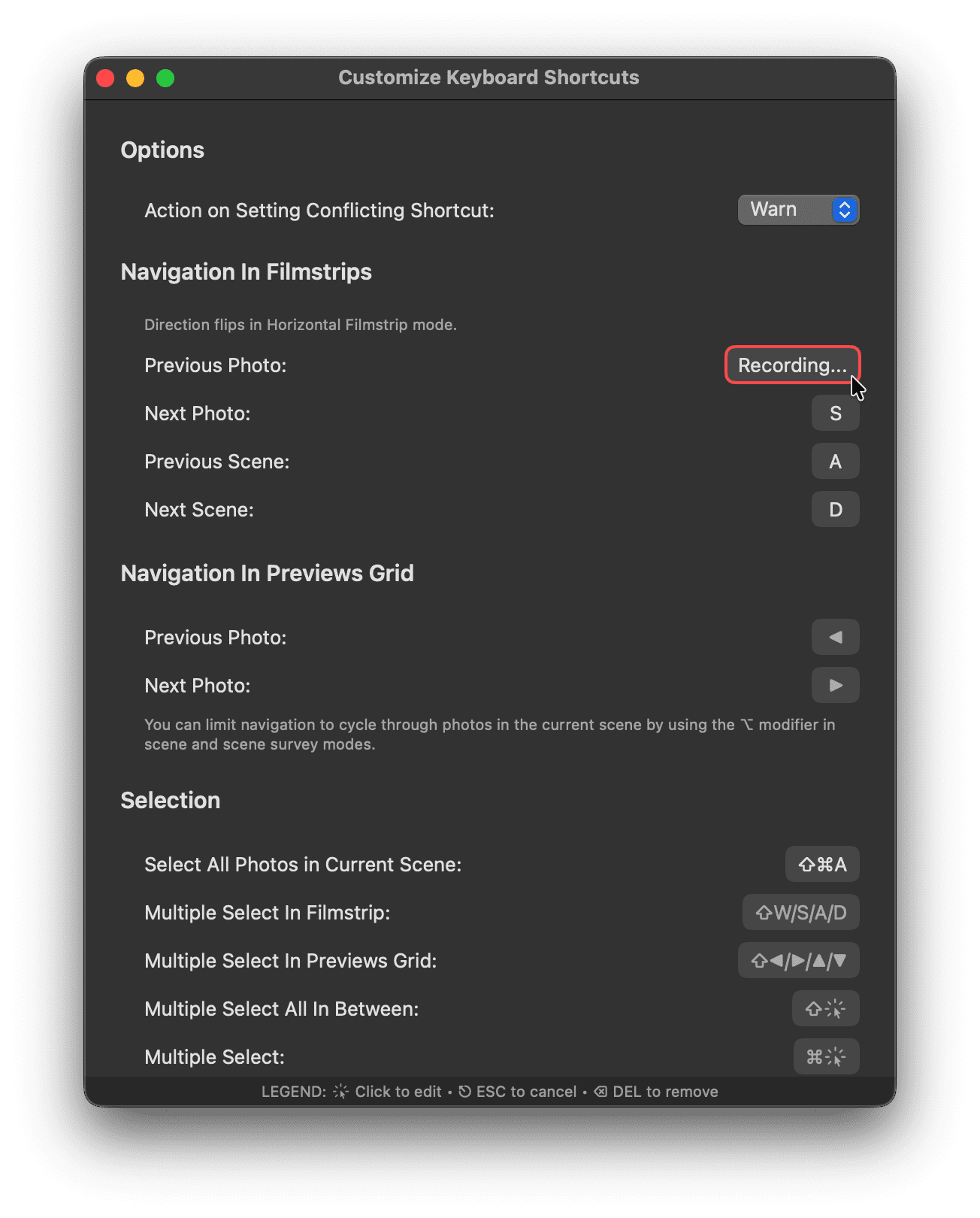
Custom Keyboard Shortcuts
You can now fully customize shortcuts to match your workflow. Whether you’re speeding through culling or fine-tuning selections, your most-used actions are now exactly where you want them.
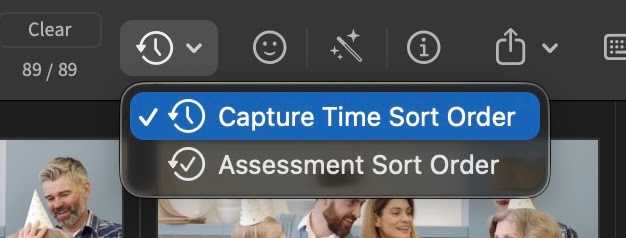
Smarter Sorting for Burst Photos
Some cameras don’t store milliseconds in their metadata. This can result in multiple photos having identical timestamps, which is why bursts sometimes appeared out of order.
OptiCull now intelligently falls back to filename-based sorting when timestamps are identical—keeping your bursts in the correct sequence.
You can still change sort order per project, and now there’s also a default sort order preference for all new projects—so you don’t have to set it every time.
macOS 26.5 shortcuts work around
macOS 26.5 has a bug which causes all menu shortcuts without a modifier key (like ⌘, ⌥, or ⇧) stop working after you use the arrow keys to navigate. A work around was added to fix this behaviour.
Even More Stable Experience
Crashes were already rare, but we’ve fixed most of the submitted crashes to make OptiCull even more reliable. If you’ve updated, you should notice a smoother experience overall.
Changelog
1.18.0 - May 28, 2026
- Fix: Resolve issue where menu shortcuts without modifier keys failed on macOS 26.5.
1.17.1 - Apr 25, 2026
- Fix: Fixed a crash that could occur when opening Keyboard Shortcuts on certain old macOS versions.
1.17.0 - Apr 21, 2026
- Feature: Shortcuts: Customizable Shortcuts in Keyboard Shortcuts window.
- Feature: Shortcuts: Added missing shortcuts for some common actions.
- Fix: Smart Zoom via keyboard shortcut fixed to center correctly at the pointer on newer macOS versions.
1.16.0 - Apr 12, 2026
- Fix: App Crashes fixed
1.15.0 - Apr 1, 2026
- Feature: Scenes: Sort by filename when photos in scenes have the same timestamp.
- Feature: Assessments: Replace as Keeper even when there is no Keeper in the current scene.
1.14.0 - Mar 30, 2026
- Feature: Privacy: Ability to request all user data deletion. Account menu -> Request User Data Deletion.
- Feature: Preferences: Default sort order to be used in new projects. Settings -> General -> Default Sort Order in Scenes.