


I’ve just rolled out one of the biggest updates yet to OptiCull. If your workflow involves heavy shoot days and massive memory cards, this one is going to completely change the game for you.
I’ve focused entirely on eliminating downtime, giving you the power to ingest, organize, and analyze your photos simultaneously. Here is what’s new:
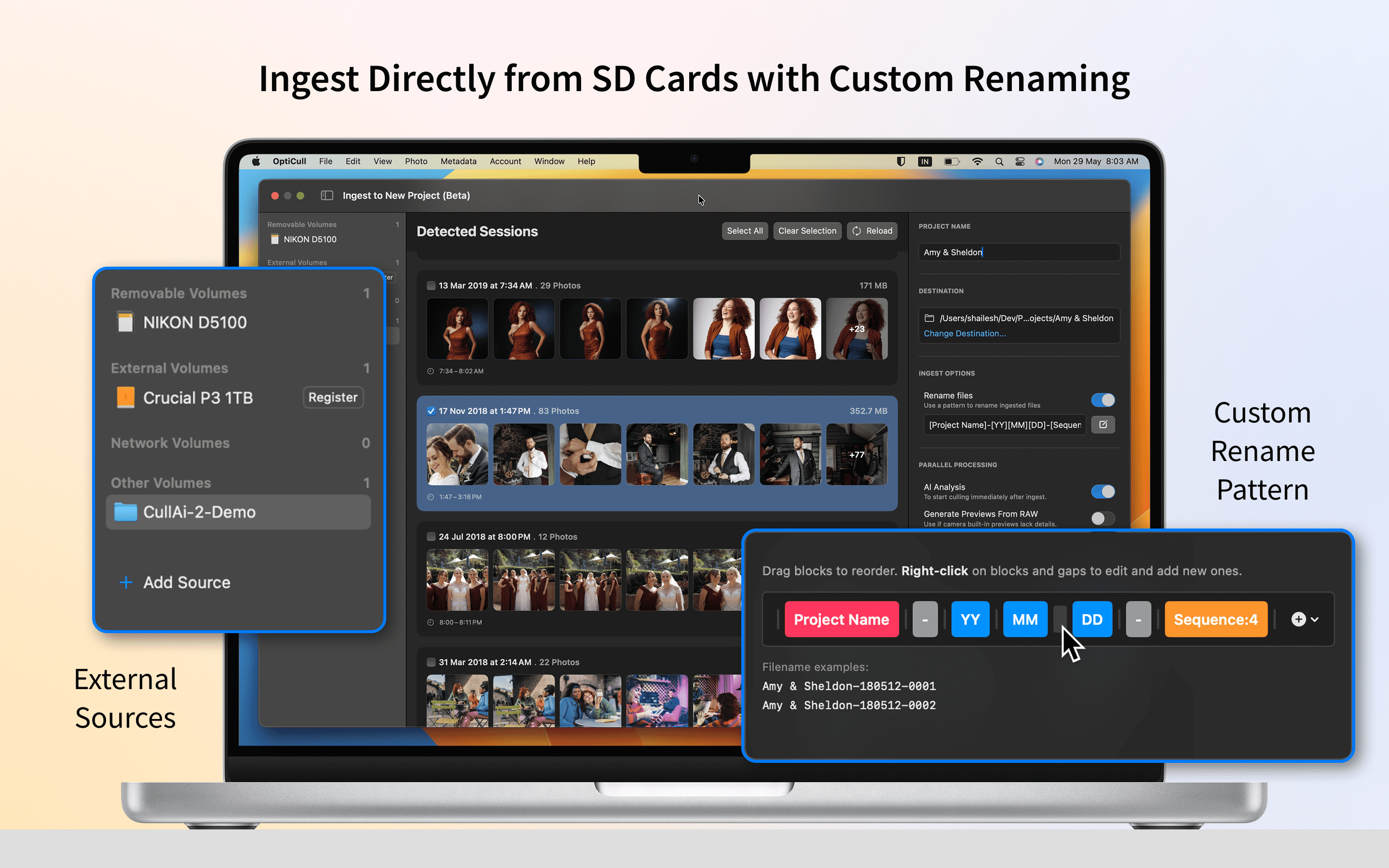
⚡ Ingest and Organize at Lightning Speed
External Drive Ingest: Skip the manual Finder copying. Connect your SD card or external drive and begin ingesting straight into OptiCull immediately.
Automatic Photo Session Detection: OptiCull automatically detects separate photo sessions, grouping them using a smart 2-hour default gap. You can easily review and select which detected sessions to ingest each time you import.
Configurable File Renaming: Keep your assets organized from the very first second. You can now define custom Rename Patterns automatically during the ingest process.
Flexible Project Targets: Need a clean slate? Ingest directly into a brand-new project. Working on an ongoing shoot? Seamlessly dump additional photos into your existing project.
🧠 Simultaneous Background Processing
Make the most of Ingest downtime. While your photos are copying in the background, OptiCull leverages in-memory RAW data to handle the heavy lifting concurrently:
Instant AI Analysis: The AI evaluation now runs during the ingest process, meaning you can jump right in and start culling the second the files hit the screen.
RAW Preview Generation: If your camera's built-in previews are lacking detail, OptiCull will generate high-quality RAW previews on the fly without slowing you down.